







Best Apple Watch for Kids: What Should Parents Look For?
More and more parents are looking for ways to give their children greater independence without feeling that they have lost sight of where they are. A smartphone isn't always the preferred solution. An Apple Watch can be an interesting alternative. But what is the best Apple Watch for kids, and which features actually matter?
When choosing a smartwatch for a child, it's not about having the most advanced features or the latest technology. Parents mainly want to know where their child is, be able to contact them when needed and have a way to get help in an emergency. Fortunately, Apple Watch offers several useful features to help with this.
Which Features Are Important in an Apple Watch for Kids?
Not every Apple Watch feature is equally useful for children. While adults may value advanced health monitoring or sports features, safety, communication and ease of use are much more important for younger users.
Here are the main features worth considering.
1. Location Tracking: Where Is My Child?
One of the main reasons parents consider buying an Apple Watch for their child is the ability to check their location. Using the Find My app, parents can see where their child is.
This can be particularly useful when a child cycles to school independently, plays outside or visits friends. You can also set up notifications to let you know when your child arrives at or leaves a particular location.
That way, you don't have to keep calling or messaging to check that everything is alright.
2. Making Calls and Sending Messages
Not every child needs a smartphone, but being able to stay in touch is certainly reassuring. With an Apple Watch with cellular connectivity, a child can make calls and send messages independently, without needing an iPhone nearby.
Parents can also manage who their child is allowed to contact, giving them greater control over communication.
One important point: this requires an Apple Watch with GPS + Cellular and a compatible mobile plan.
3. Emergency SOS
Emergency SOS is another feature that can give parents extra peace of mind.
If a child needs help, they can use the side button on their Apple Watch to make an emergency call. The watch can share its location with emergency services. After the call, designated emergency contacts can also receive a notification.
It isn't a dedicated panic button that automatically calls only the parents, but it is an important safety feature.
4. Schooltime: Fewer Distractions During Lessons
Having a smartwatch on their wrist can also be a distraction. At school, you don't want children constantly checking notifications and messages.
That's where Schooltime comes in. Parents can schedule specific school hours during which notifications and certain features are restricted. A simple watch face is displayed, helping children stay focused during lessons.
A useful feature for both parents and teachers.
5. Comfort and Size
Children's wrists are often much smaller than adults'. A large, heavy watch may therefore be uncomfortable to wear.
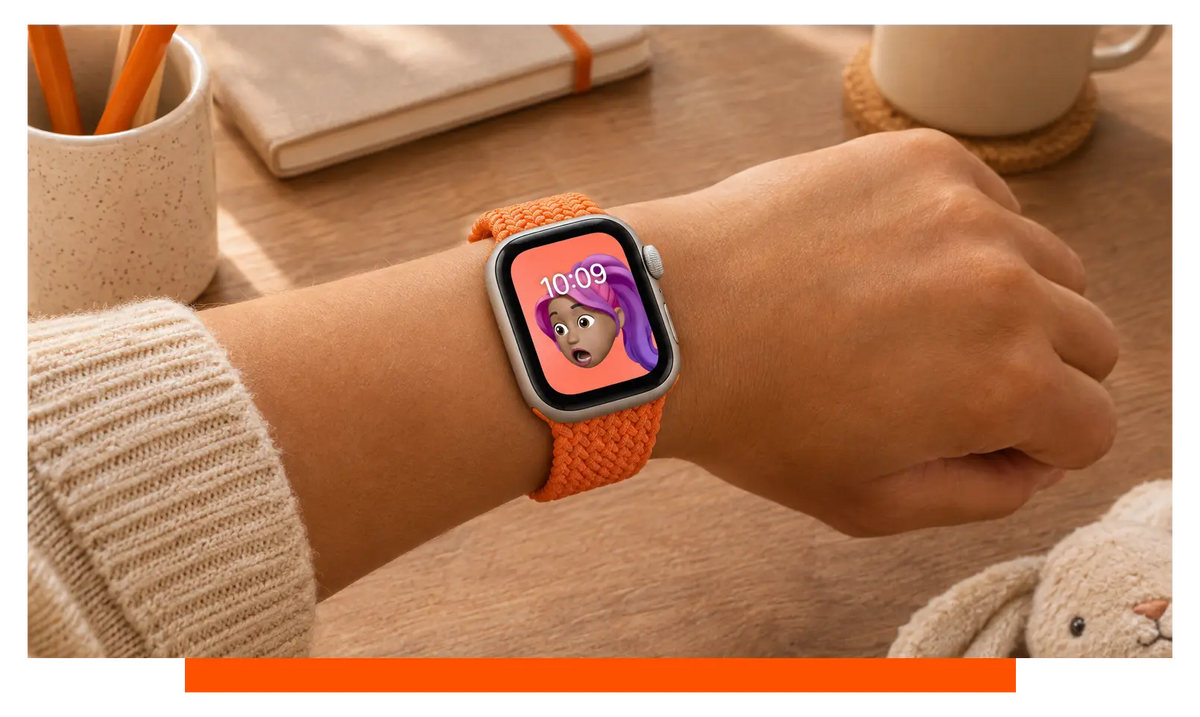
When choosing an Apple Watch, it's worth looking at a more compact model. The Apple Watch SE 3 is available in a 40mm case size, making it an interesting option for children.
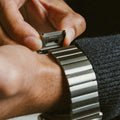
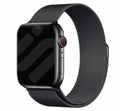
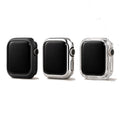
It's also worth choosing a comfortable, adjustable Apple Watch SE 3 strap. If the watch is going to be worn every day, comfort really matters. Materials such as silicone or nylon are worth considering, as they are comfortable against the skin and relatively easy to clean.
6. Activity and Health
An Apple Watch also offers useful activity and health features. It can measure heart rate, track movement and help users keep an eye on their activity goals.
These may not be the main reasons to buy an Apple Watch for a child, but they can be a fun way to encourage regular movement.
Bear in mind that not all health features are available to children, particularly when the watch is set up using Family Setup.
What Is the Best Apple Watch for Kids?
When we look at the features that matter most to children and parents, the Apple Watch SE 3 quickly stands out.
It offers many of the features you need without having to spend more on a larger, more advanced model.
Apple Watch SE 3 40mm GPS + Cellular
In our opinion, the 40mm Apple Watch SE 3 is an excellent choice for children.
Why this model?
- Compact size that is better suited to smaller wrists.
- GPS for location tracking.
- Calls and messages with cellular connectivity.
- Emergency SOS.
- Schooltime to reduce distractions.
- Heart rate monitoring and activity tracking.
- Water-resistant to 50 metres.
It's the combination of a compact design and essential safety and communication features that makes this model particularly appealing.
We recommend choosing the GPS + Cellular version. With GPS only, a child cannot make independent calls when the paired iPhone isn't nearby.
Important: Family Setup and cellular availability in the UK
For a child to use an Apple Watch independently without having their own iPhone, it needs to be set up using Apple's Family Setup feature, also marketed as Apple Watch For Your Kids.
A compatible GPS + Cellular watch and a supported mobile plan are required.
In the UK, Apple currently lists EE and BetterRoaming as supported providers for Apple Watch For Your Kids. Other networks may support standard Apple Watch cellular service without supporting Family Setup.
Always check directly with your provider before purchasing, as plan eligibility and availability can change.
What Else Should Parents Consider?
There are a few practical points worth keeping in mind alongside the features.
- Battery life: An Apple Watch needs to be charged regularly. It's a good idea to establish a routine, such as charging it before bedtime.
- Mobile plan costs: The Cellular version may involve additional monthly charges.
- Parental controls: Parents can manage contacts and certain settings. It's also worth discussing with your child when and how the watch should be used.
- Age and responsibility: Not every child is ready for a smartwatch at the same age. They should understand how it works and what to do in an emergency.
- Privacy: Location sharing can be reassuring, but it's important to explain to your child why it is being used.
An Apple Watch can be a useful tool, but it doesn't replace common sense or the agreements you make with your child.
Conclusion: Which Apple Watch Should You Choose for Your Child?
If you're looking for an Apple Watch for your child, there's no need to go straight for the most expensive models. Many of the most important features are already available in the Apple Watch SE range.
Our preferred choice is the Apple Watch SE 3 40mm GPS + Cellular. Its compact size, independent calling capabilities, location tracking and Emergency SOS make it an interesting option for parents who want to give their child a little more independence.
You aren't paying for lots of extra features your child is unlikely to use, but you still get the most important features in one compact device.
In short, it's a practical smartwatch that gives children more independence while offering parents a little extra peace of mind.
FAQ – Frequently Asked Questions
Which Apple Watch is best for kids?
The Apple Watch SE 3 40mm GPS + Cellular is an interesting choice. It offers important features such as location tracking, calls, messaging and Emergency SOS, without paying for lots of additional features.
Can a child make calls using an Apple Watch without an iPhone?
Yes. With an Apple Watch Cellular model, a child can make calls and send messages independently. However, the watch must be compatible with Family Setup and a supported mobile plan must be available.
Can parents track their child's location using an Apple Watch?
Yes. Parents can use the Find My app to view their child's location. Notifications can also be set up when the child arrives at or leaves a particular location.
Does an Apple Watch for kids have an SOS emergency button?
Yes. Apple Watch includes Emergency SOS, which allows a child to make an emergency call. Their location can be shared with emergency services, and designated emergency contacts can receive a notification afterwards.
What size Apple Watch is suitable for a child?
The Apple Watch SE 3 is available in 40mm and 44mm sizes. The 40mm version is generally the more interesting option for children because of its smaller case. However, it's always worth checking that the watch fits comfortably on the child's wrist.
Does a child need their own iPhone to use an Apple Watch?
Not necessarily. With Family Setup, parents can configure a compatible Cellular Apple Watch using their own iPhone. Availability depends on the country and mobile network provider.
Can children use an Apple Watch at school?
Yes. Schooltime allows parents to schedule specific school hours. During these periods, notifications and certain features are restricted, helping to reduce distractions during lessons.
Is the Apple Watch waterproof?
The Apple Watch SE 3 is water-resistant to 50 metres. This means it is suitable for activities in shallow water, such as swimming in a pool. However, water-resistant does not mean completely waterproof.
Can my child wear an Apple Watch SE while swimming?
Yes. The Apple Watch SE 3 has a water-resistance rating of 50 metres and can be used for swimming in shallow water, such as in a swimming pool or the sea. However, it should not be used for scuba diving, waterskiing or other high-speed water sports.
Can both parents manage their child's Apple Watch?
Yes. Both adults can be parents or guardians in the Family Sharing group, allowing them to manage parental controls and approve communication requests. Settings and software updates are managed from the iPhone originally used to set up the watch.
Which health and sleep features are unavailable on an Apple Watch managed through Family Setup?
Some features are not available on a family-managed watch. These include Medications, respiratory rate, irregular heart rhythm notifications, ECG, AFib History, Cycle Tracking, Sleep, wrist temperature, Blood Oxygen and Walking Steadiness. If health tracking is your main reason for buying an Apple Watch, check these limitations before choosing Family Setup.
What happens if my child forgets to charge their Apple Watch?
The Apple Watch SE 3 supports fast charging. Around 15 minutes of charging can provide up to 8 hours of normal use, while reaching 80% battery takes approximately 45 minutes. If the battery runs out completely, calls, messages and location sharing will no longer be available until the watch has been charged.


Leave a comment
All comments are moderated before being published.
This site is protected by hCaptcha and the hCaptcha Privacy Policy and Terms of Service apply.